case study
Profile components
Context
Employees need context about who they're working with to collaborate effectively across an organisation. But the user and team profiles in Jira and Confluence lacked vital context about people. We saw an opportunity to make profiles genuinely useful by adding components for reporting lines, peer recognition, and recent work.
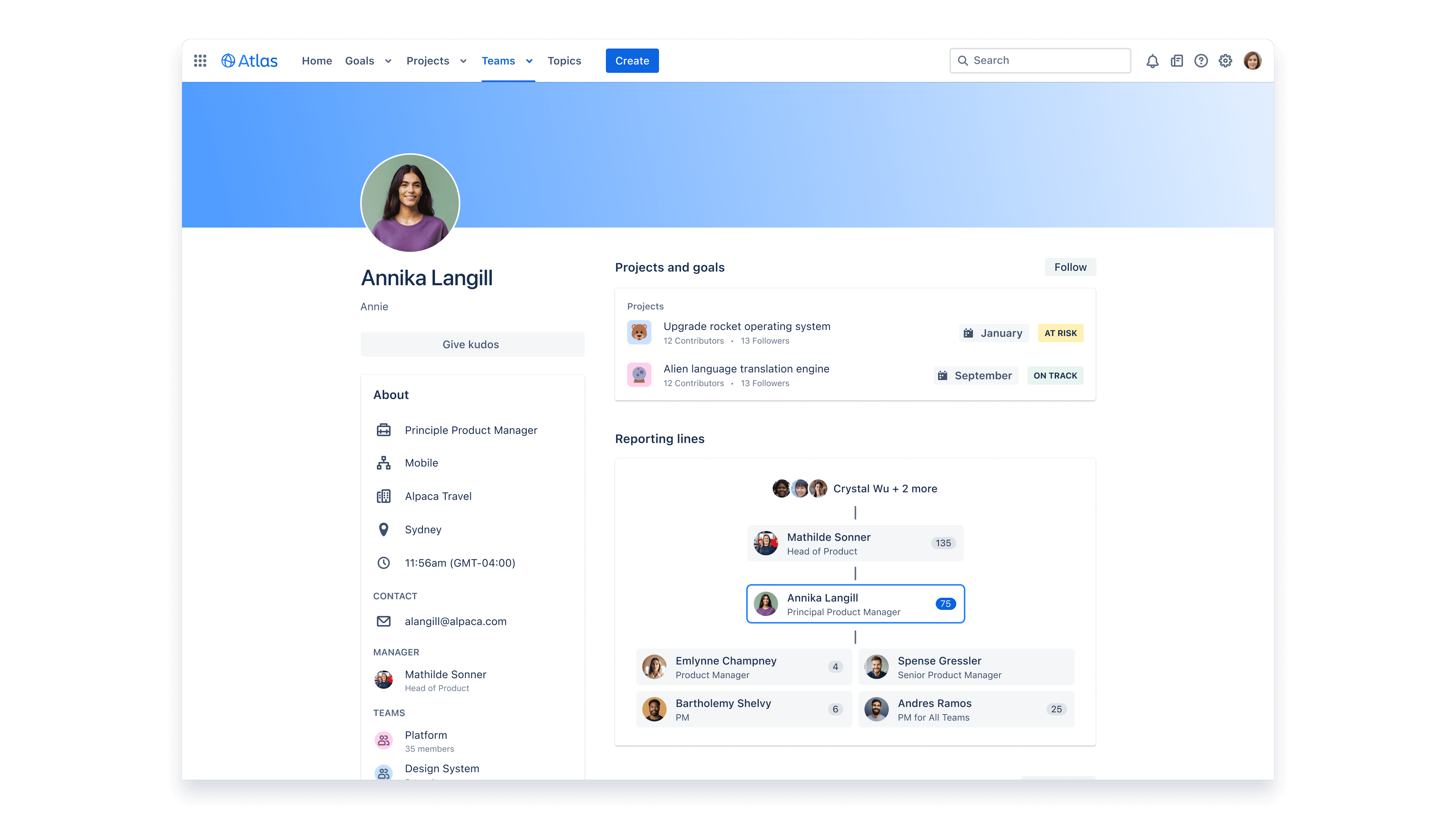
The reporting line component visually helped users understand both a person's immediate manager and direct reports, and where in the organisation someone sat.
Prioritising with customers
We had no shortage of ideas from competitor analysis, feedback on the existing profiles, and team brainstorms. The challenge was deciding what to build first. I ran a prioritisation exercise in customer research sessions: a "$10 game" where we gave target users an imaginary $10 to spend on the capabilities they were most interested in. This gave us a clear, customer-driven signal for what to focus on, rather than relying on internal assumptions.
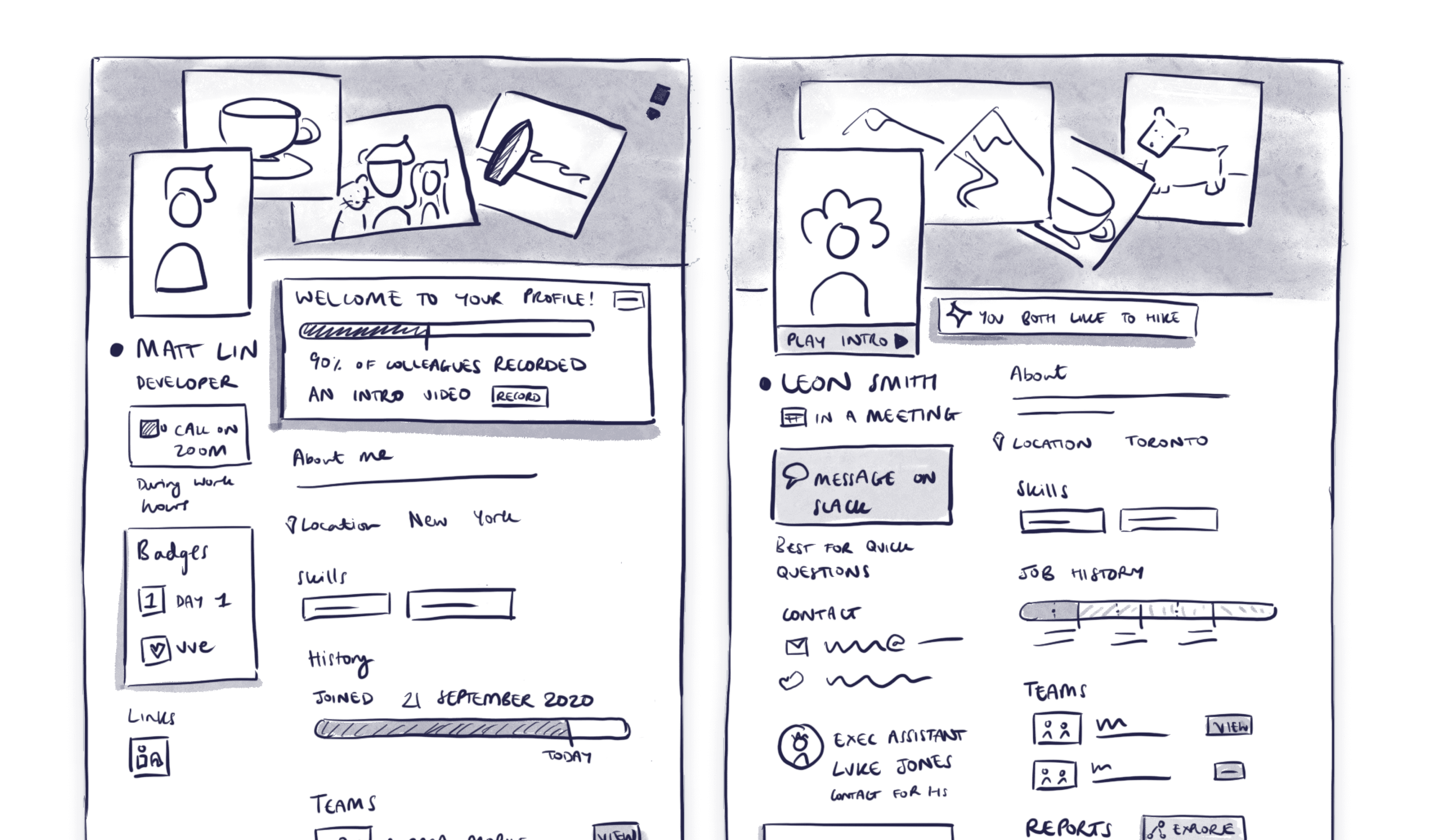
Sketches of the profiles I created to try out many new concepts
The design challenge
The profile components spanned different use cases: reporting lines, peer recognition, and recent work, but I needed them to feel cohesive when placed together on a profile. Another constraint was that we were working within an existing single-page profile layout. Every component had to be compact enough to fit without overwhelming the page, while still providing genuinely useful information.
This tension was sharpest with the reporting lines component. I needed to show someone's manager, their direct reports, and where they sat in the broader organisation within a single card. I explored a wide range of UI variations, moving between wireframes and higher-fidelity mocks to test how different visual approaches balanced information density with usability. Getting that balance right was one of the more interesting visual design challenges of the project.
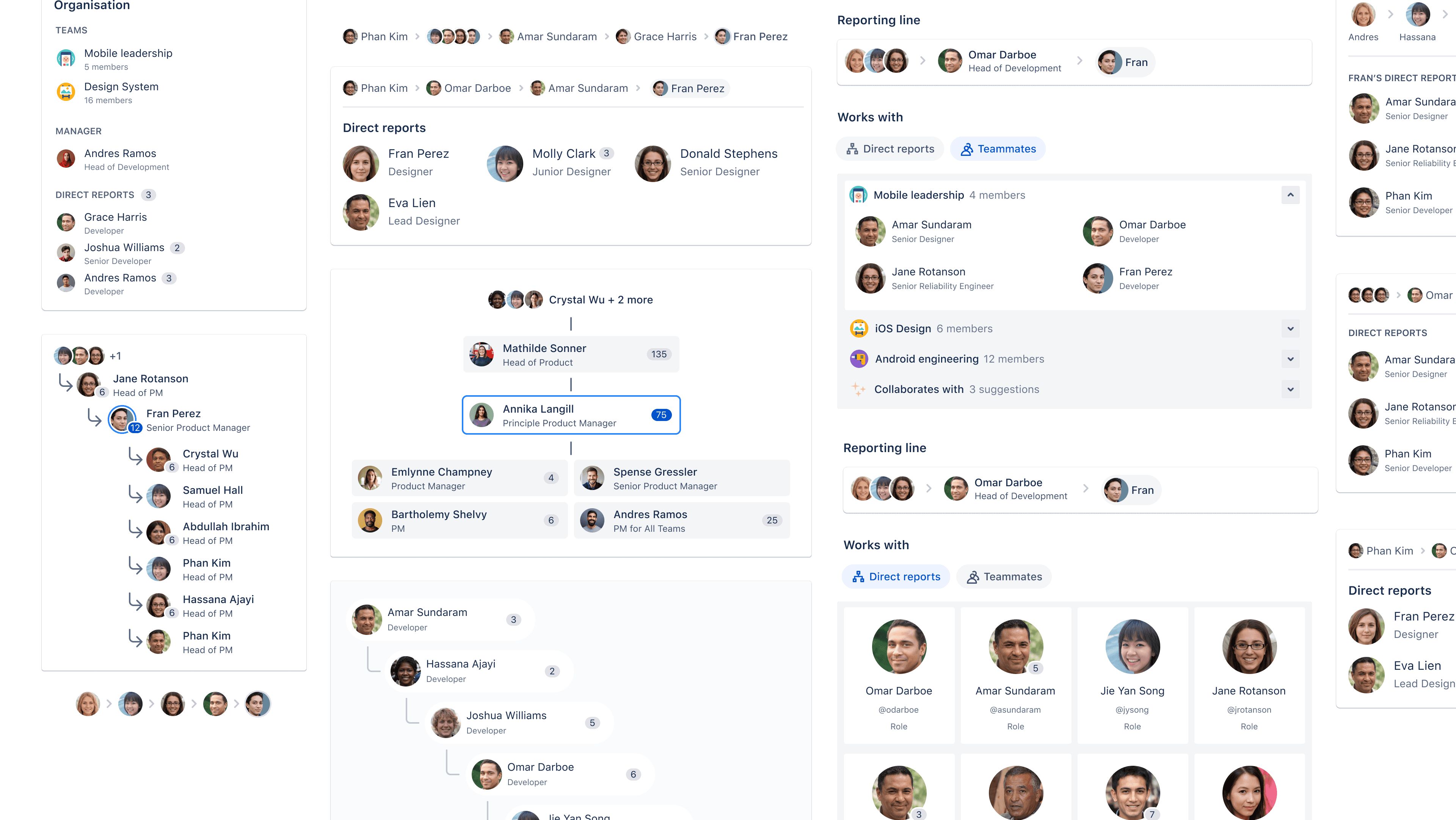
Once we had honed in on a direction, I produced UI variations on how these components could work on the profile - balancing information density and usability
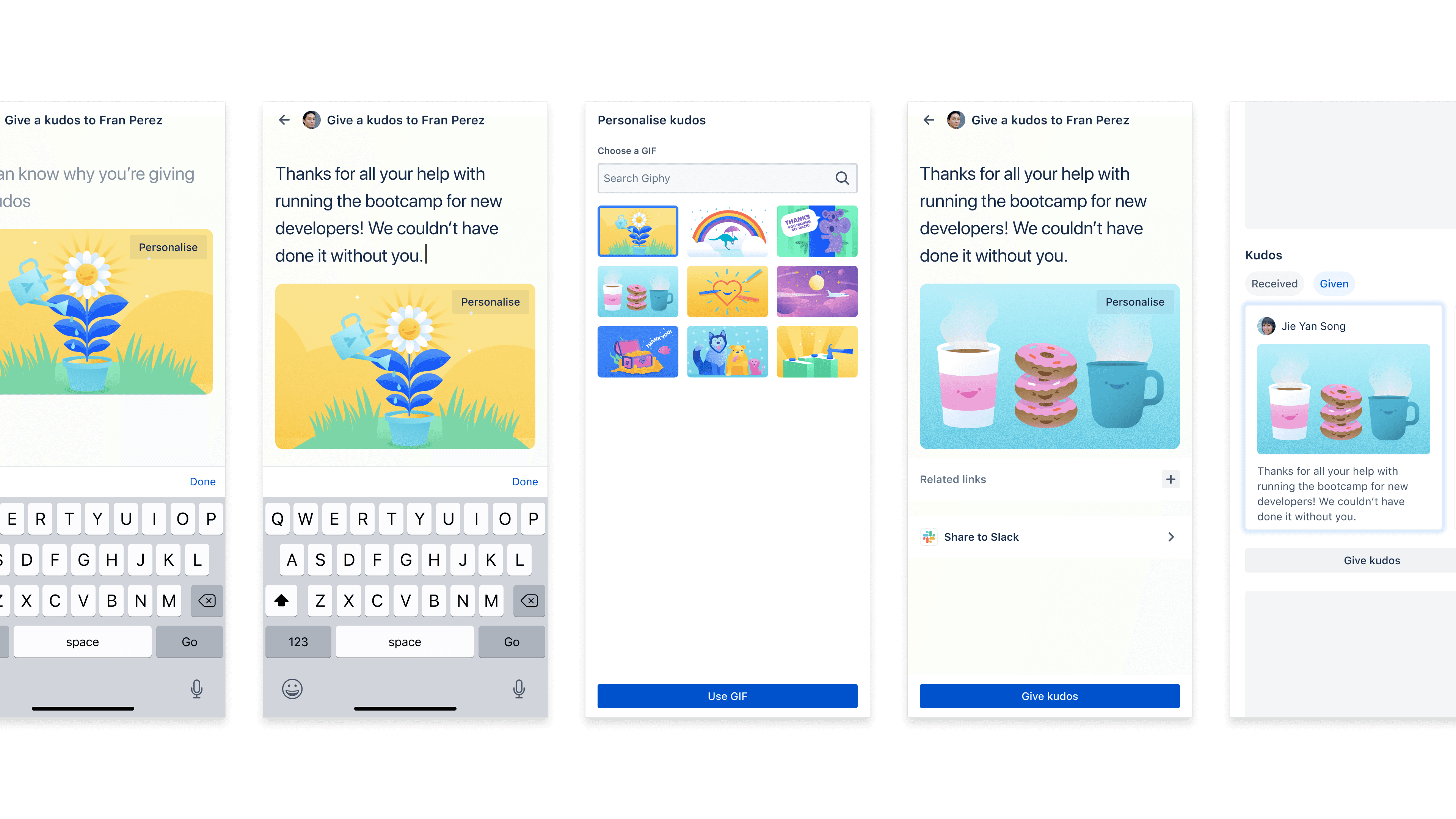
I also switched between desktop and mobile widths to ensure our experience would scale responsively to different screen sizes
Getting buy-in on a shared surface
One of the trickier parts of this project was that we weren't owners of the surface we were designing for. Profiles in Jira and Confluence belong to a platform team, and we were proposing to add components to their space. I had to demonstrate the customer value these components would provide, and give the platform team meaningful opportunities to give feedback and shape the experience. It was a process of building trust and showing that our additions would enhance profiles rather than clutter them.
I secured alignment from platform stakeholders, then worked closely with engineering to ship the components to customers.
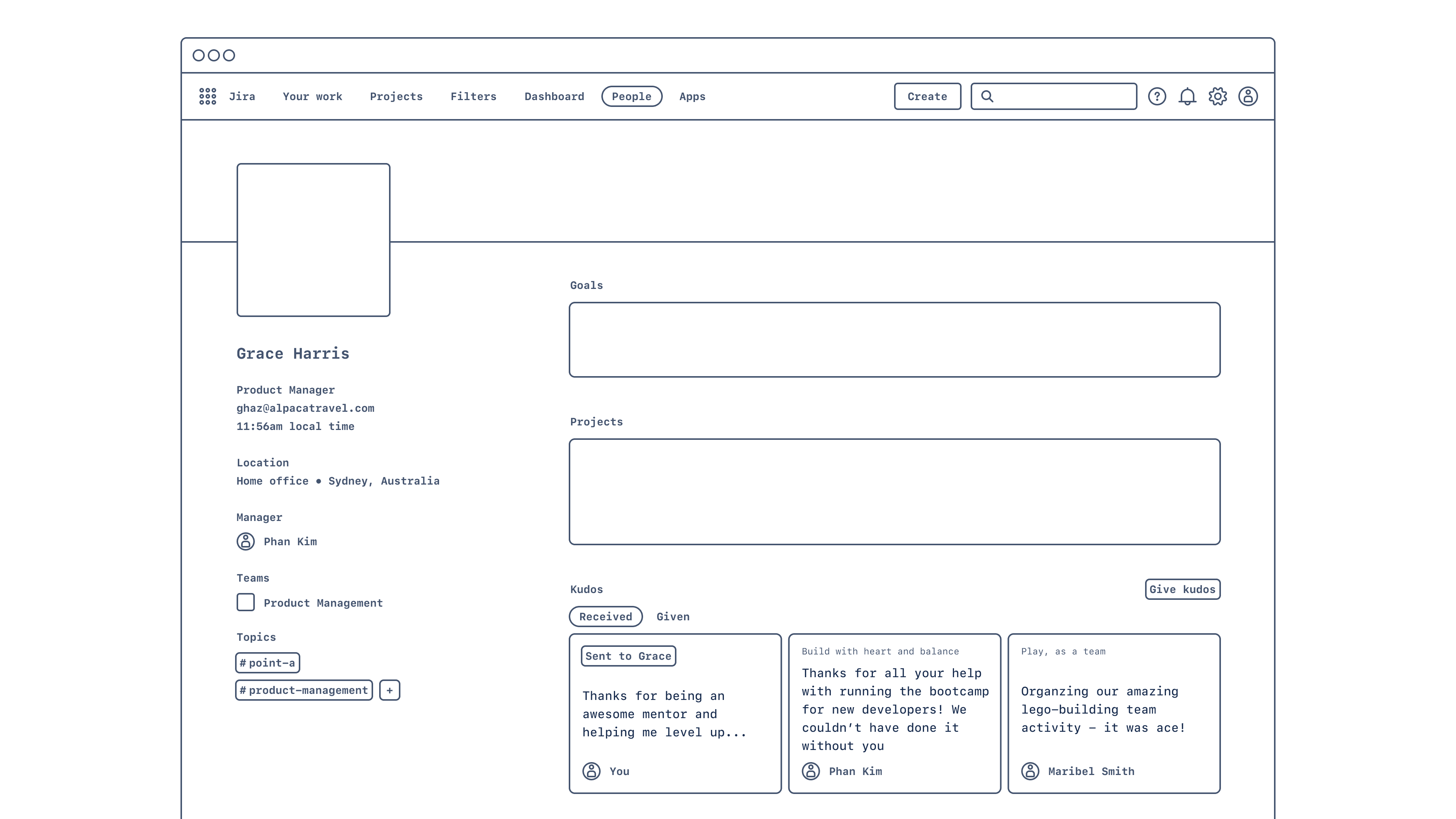
I moved between lower and higher fidelity depending on the discussion, such as with this wireframe I used to try out the placement of the Kudos component in the profile hierarchy
Impact
The reporting lines component became the most-used addition, with around 100K weekly views on profiles. It helps users understand how to approach collaborating with someone by providing vital context about where in the organisation they sit, who their manager is, and who their peers are. We also saw customers syncing their entire employee base into Atlassian's system, which was a strong signal that the profile experience had become valuable enough to invest in.
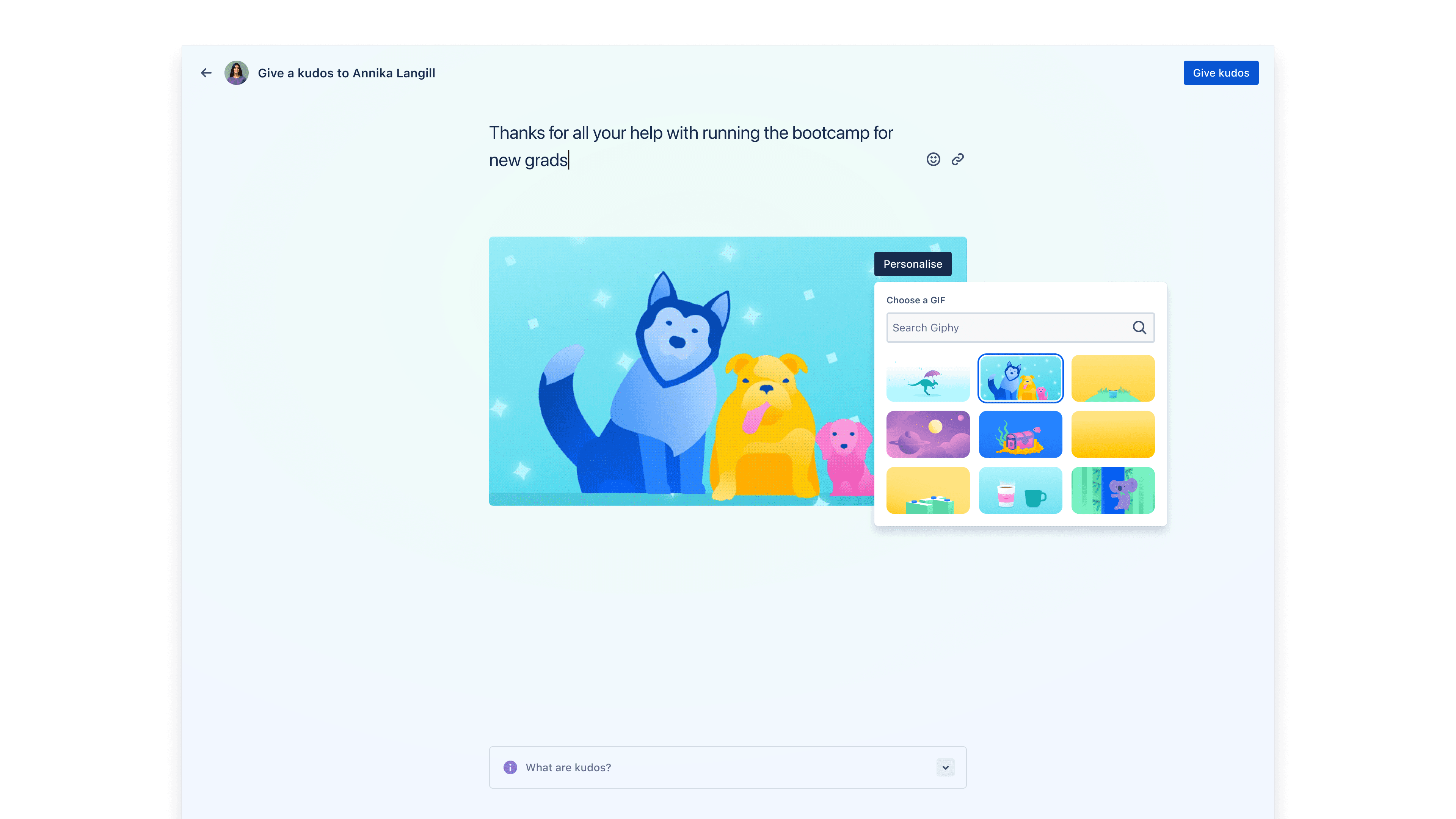
The peer recognition experience encouraged users to take a moment to say thank you, and personalise their message.